My setup for agentic-native engineering workflow with terminal environment
Here's the shift nobody quite announced: I no longer spend my day typing code. I spend it directing agents that type code. And the moment that became true, my whole setup started feeling like the wrong shape.
So I did the thing I always end up doing - I tore it down and rebuilt it from the terminal up. I call it flightdeck, and the whole thing lives here: github.com/vndee/flightdeck.
The idea is straightforward: a development environment where AI agents aren't a feature you toggle in a sidebar, but the default unit of work - and where you still own every layer underneath them.
Why the IDE stopped making sense
That reframe sounds small. It isn't — it quietly changes what a good tool should even look like.
A modern IDE is built around a single human, looking at a single file, in a single project. But my real workflow now looks more like an aircraft carrier than a writing desk — a flight deck with several agents in the air at once. One is refactoring an API. One is fixing a flaky test. One is writing migration scripts. I'm not editing in any of them; I'm the air traffic controller, jumping between them, reviewing diffs, sending the next instruction.
The terminal turns out to be a far better cockpit for that job than any GUI. It's fast, it's scriptable, it composes, and - the part I care about most - it's mine. No vendor, no telemetry I can't see, nothing I can't rip out and replace.
The stack
Every layer is a fast, maintained, open-source CLI, themed identically (Catppuccin Mocha) and symlinked into place with GNU Stow so the whole thing is one git clone away from reproducible.
- Terminal - Ghostty: GPU-accelerated, native macOS, true color. The window the cockpit lives in.
- Shell - fish + Starship: Inline abbreviations, a fast prompt, with
zoxide,atuinandfzfwired in. - Multiplexer - tmux + sesh: The actual cockpit: sessions, windows, panes, fuzzy session switching.
- Editor - Neovim + LazyVim: Neo-tree, fzf-lua, treesitter, and seamless tmux-pane navigation.
- Agent - Claude Code +
wt+ claudecode.nvim: Parallel agents on isolated worktrees, plus an agent bound right into the editor. - CLI core - bat, eza, delta, yazi, fd, ripgrep, lazygit, btop, gh. Sharper defaults for everything you used to do the slow way.
None of this is exotic. It's the boring, battle-tested stuff - wired together so the seams disappear.
The part that actually matters: a fleet of agents
If you take one thing from flightdeck, take this. The single biggest unlock of agentic coding isn't a smarter model - it's running several agents at once without them stepping on each other. Two agents editing the same working tree is a recipe for chaos. The fix is older than AI: git worktrees.
So I wrote a tiny orchestrator called wt. One command, one isolated agent:
wt my-feature     # new git worktree + a dedicated tmux session (nvim + claude)
wt another-fix    # a second agent, on its own branch, zero collisions
wt ls             # list every worktree and its session
wt rm my-feature  # tear it down when the PR is merged
Each task gets its own checkout and its own tmux session, so 2–4 Claude Code agents run concurrently on separate branches and never touch each other's files. To hop between them, prefix + T opens a fuzzy session switcher (sesh) — that's your flight deck, every agent one keystroke away.
And when I do want to drop into the cockpit and fly one myself, claudecode.nvim binds an agent straight to Neovim: <leader>ac toggles it, <leader>as sends a visual selection, <leader>aa / <leader>ad accept or reject the diff it proposes — without ever leaving the editor.
Two layers of parallel
There's a second trick that makes juggling a dozen repos bearable: two independent tab layers, one nested inside the other.
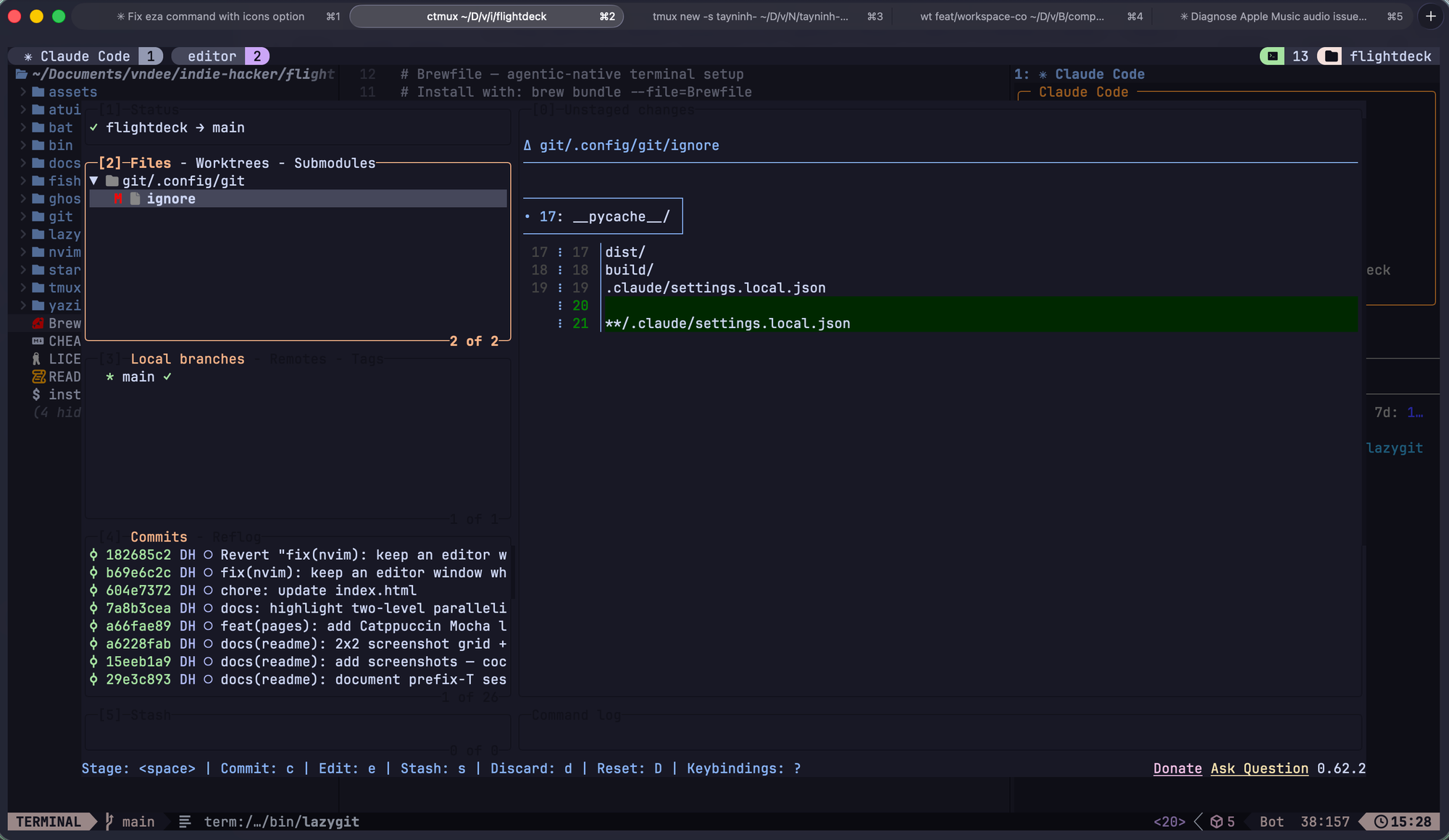
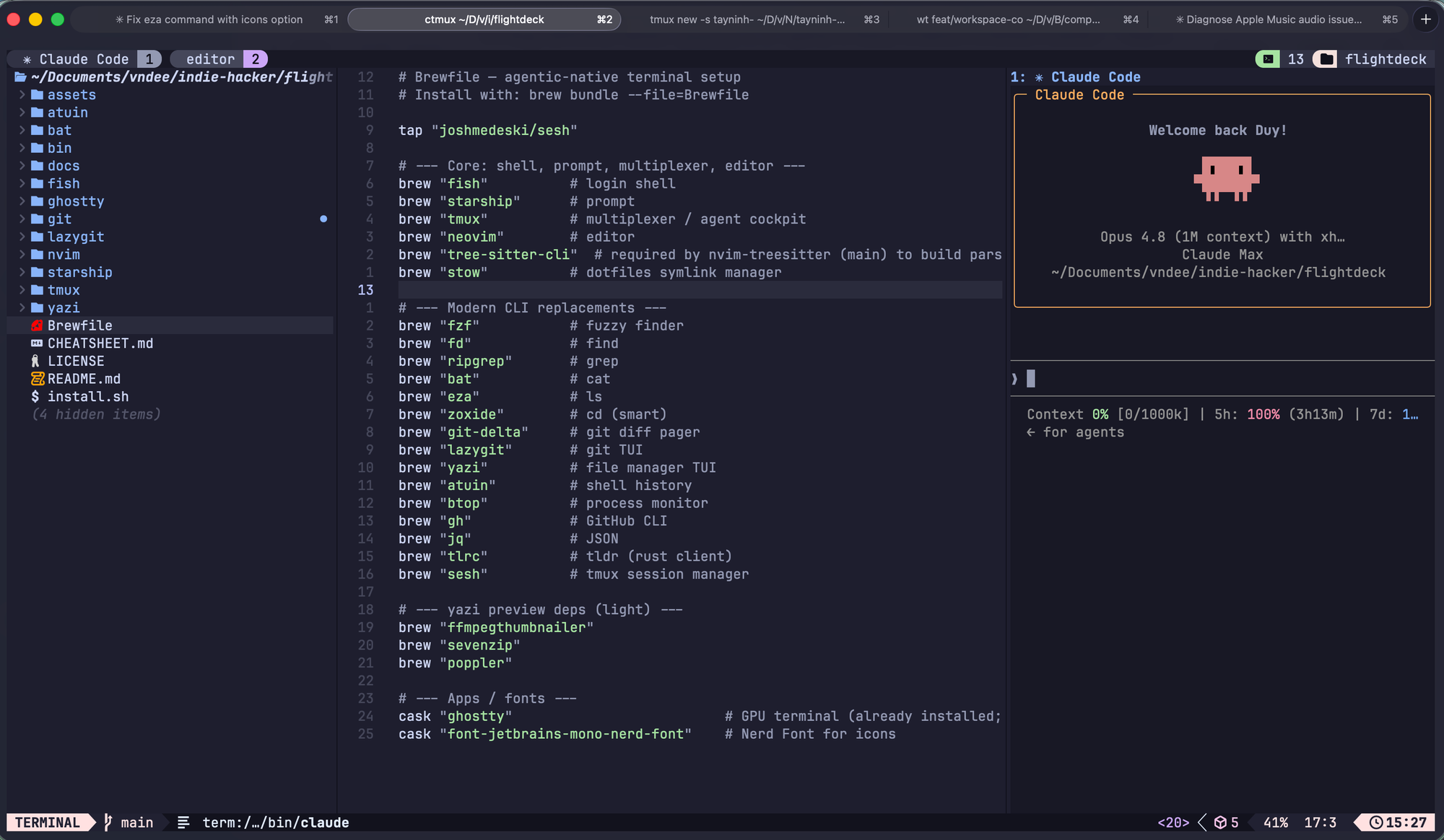
The outer layer is Ghostty's native macOS tabs - one per project or client. The inner layer is a full tmux session inside each tab - editor, agents, servers. ⌘+number flips between projects; Ctrl-a+number flips between tasks inside one. Everything stays live at once, which is exactly what you want when three different agents are all mid-thought.
Try it
It's a single command, and it's idempotent - it backs up anything it would overwrite to a timestamped folder before symlinking, so it won't clobber your existing setup:
git clone https://github.com/vndee/flightdeck ~/flightdeck
cd ~/flightdeck
./install.sh                    # brew packages, stow configs, plugins
chsh -s "$(command -v fish)"    # make fish your login shell
There's a full CHEATSHEET.md in the repo, but honestly the only keys you need on day one are Ctrl-h/j/k/l to move around the whole grid, prefix T to switch sessions, and wt <branch> to launch an agent.
Where this goes next
This is macOS-first today (Ghostty, native tabs), but nothing in the philosophy is - a Linux branch is the obvious next step. I'd also like wt to grow a little status dashboard, so you can glance at what each agent is doing without switching into it. If you have ideas, the repo is MIT and PRs are open.
I think we're at the start of a genuine shift in what "writing software" means - from typing every line to orchestrating the things that do. The tools we use to do it should reflect that, and they should belong to us. flightdeck is my attempt at that. Steal whatever's useful.
Let's enjoy coding!
Repo: github.com/vndee/flightdeck · MIT